
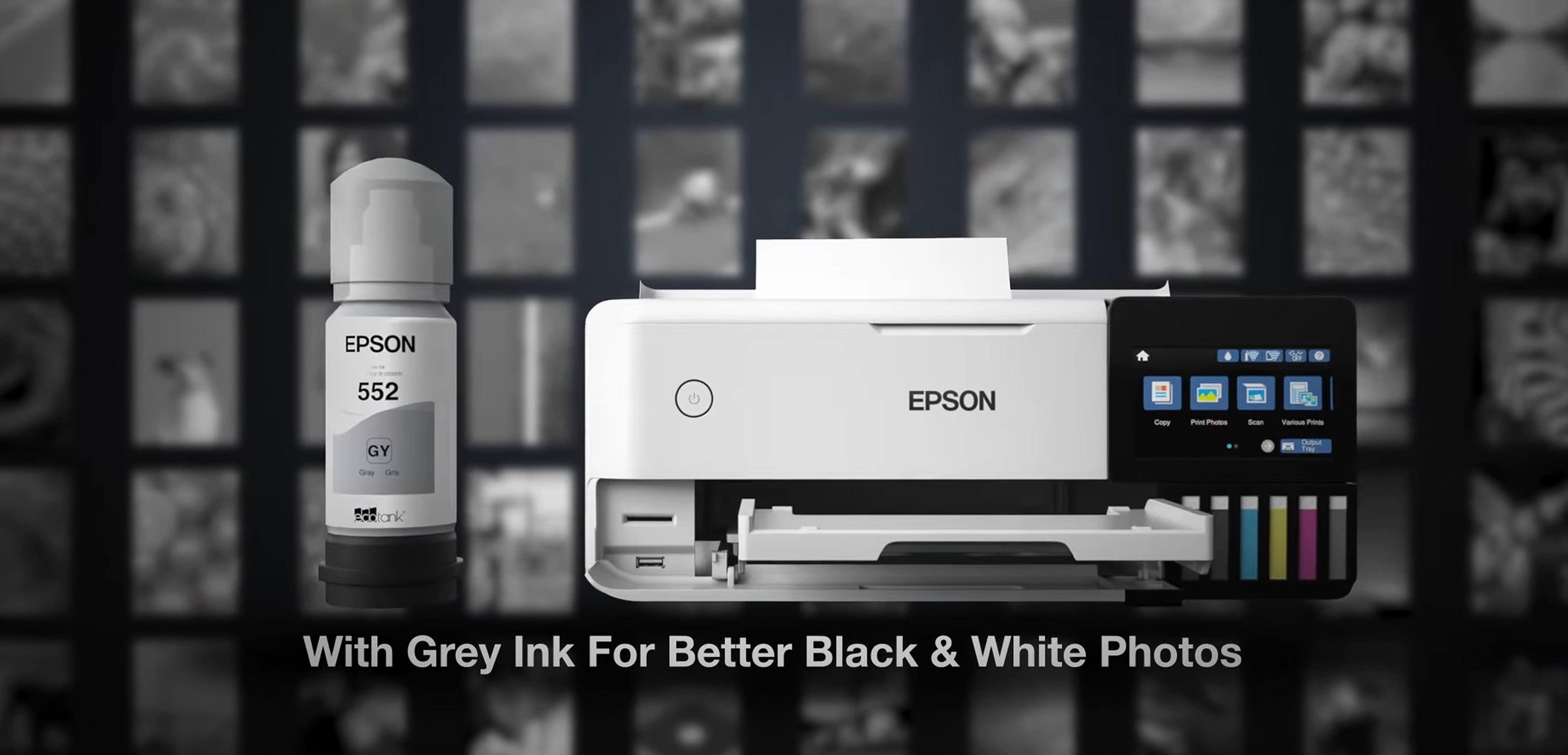
If you’ve been hanging around the DIY apparel scene lately, you’ve probably heard the name Epson ET-8550 mentioned more than a few times. It is currently the "golden child" of the DTF (Direct to Film) conversion world. Everyone wants to know: Can this printer actually do DTF?
The short answer is yes, but the detailed answer is: Yes, but with some serious elbow grease.
The ET-8550 is originally a high-end photo printer, not a DTF machine. To turn it into a custom-apparel beast, you need to understand what you’re getting into. Here is my breakdown of the ET-8550 conversion.
Why the Hype?
The ET-8550 is beloved for two main reasons: Size and Ink System.
- A3+ Capability: Most entry-level converted printers are restricted to A4 or Letter size. The ET-8550 allows you to print large, 13x19-inch designs, which is perfect for the back of hoodies or XL tees.
- EcoTank System: Since it doesn't use cartridges, you can easily pour DTF ink into the tanks without worrying about "resetting chips."
- Unbeatable Affordability: This is the biggest draw. A professional, factory-built DTF printer can easily cost you between $6,000. By converting an ET-8550, you're getting high-end results for a fraction of the cost (usually under $1,000 including the printer and conversion kit). It’s the most cost-effective way to start a professional printing side-hustle.
The "Must-Haves" for Conversion
You cannot just put DTF ink in and hit "Print." Here is what you actually need:
- DTF Specific Ink: You’ll replace the standard CMYK with DTF ink. Usually, we use the Gray and Photo Black channels for our White Ink.
- RIP Software: This is the most critical part. Windows/Mac drivers don't understand "White Ink." You need a specialized RIP software (like AcroRIP or Cadlink) to tell the printer where to lay the white base.
- A Religious Maintenance Routine: DTF white ink contains Titanium Dioxide. If it sits still, it turns into "clumpy glue" inside your printer lines.
A Smarter Investment
Instead of fighting with a converted photo printer, the market now offers professional alternatives that are much more accessible than they used to be:
- Entry-Level Professionals: You can now find entry-level, purpose-built DTF printers for around $1,500. These machines are designed from the ground up to handle DTF ink.
- High-Volume Powerhouses: If you are serious about your business, a professional printer equipped with the industry-standard I3200 printhead (like the Colorsun X13) only costs around $3,999. These machines offer significantly faster speeds, better color accuracy, and most importantly, the reliability you need to actually make money instead of fixing clogs.
My Advice: Save yourself the headache. Skip the conversion and invest in a dedicated machine that grows with you.
Stay bold, stay creative!
The Standard DTF Conversion Workflow: An Overview
If you are considering a DIY conversion, here is a high-level summary of the core steps involved in the process:
-
Step 1: Ink Drainage & Replacement You must completely drain the original photo inks and replace them with specialized DTF textile inks. Since the ET-8550 is a 6-color printer, you typically reassign one or two channels specifically for White ink.
-
Step 2: Physical Modifications (The "Pizza Wheel" Mod) Standard paper rollers (often called "pizza wheels") will leave tracks on wet DTF ink. You must disassemble the printer to remove or modify these rollers and adjust the exit tray to accommodate PET film.
-
Step 3: RIP Software Installation Original factory drivers cannot handle the white under-layer required for DTF. You will need to purchase and configure dedicated RIP software (such as AcroRip) to control white ink density and printing order.
-
Step 4: Strict Manual Maintenance Protocol Because converted printers lack industrial circulation systems, you must establish a rigorous manual routine: shaking ink tanks daily, performing frequent head cleanings, and strictly monitoring humidity levels.
Pro Tip: This is a highly delicate mechanical process. If you are looking for a step-by-step visual guide, search "Epson ET-8550 DTF Conversion Tutorial" on YouTube. There, you will find detailed teardowns and software setup guides from DIY veterans.
FAQs:
Q1: Is it worth buying an ET-8550 just to "test" DTF?
Answer: Only if you have 800 to "play" with and don't mind if the machine breaks in 3 months. If you want a business, that money is better spent as a down payment on a dedicated DTF printer like a Colorsun X13.
Q2: Why is the I3200 printhead so much better?
Answer: The I3200 is an industrial-grade head. It’s designed to handle thicker inks and much higher speeds. Unlike the ET-8550 head, which is meant for occasional photos, the I3200 can run all day, every day, with much higher precision.
Q3: Does a $1,500 dedicated printer really save time?
Answer: Yes. Dedicated machines usually include white ink circulation or agitation systems. This means you spend less time cleaning and more time printing. Time is money in this business!
Q4: Can I resell a converted ET-8550?
Answer: It’s difficult. Most buyers know that a used DTF-converted ET-8550 is a "ticking time bomb" for clogs. A professional machine holds its resale value much better.
Q5: What’s the biggest difference in print quality between DIY and Professional?
Answer: While the ET-8550 can print pretty colors, professional machines (like those at the $3,999 price point) use better RIP software and more durable ink delivery systems, leading to more consistent wash-fastness and vibrant white layers that won't crack.